





✨ Product Description
Tired of switching between tools, memorizing keyboard shortcuts, and clicking through endless menus?
When you're editing videos, retouching photos, or juggling multiple applications, even the smallest interruptions can slow down your creative flow.
Meet the Mini Wireless Macro Dial Controller — a compact, customizable desktop controller designed to put your most-used actions right at your fingertips.
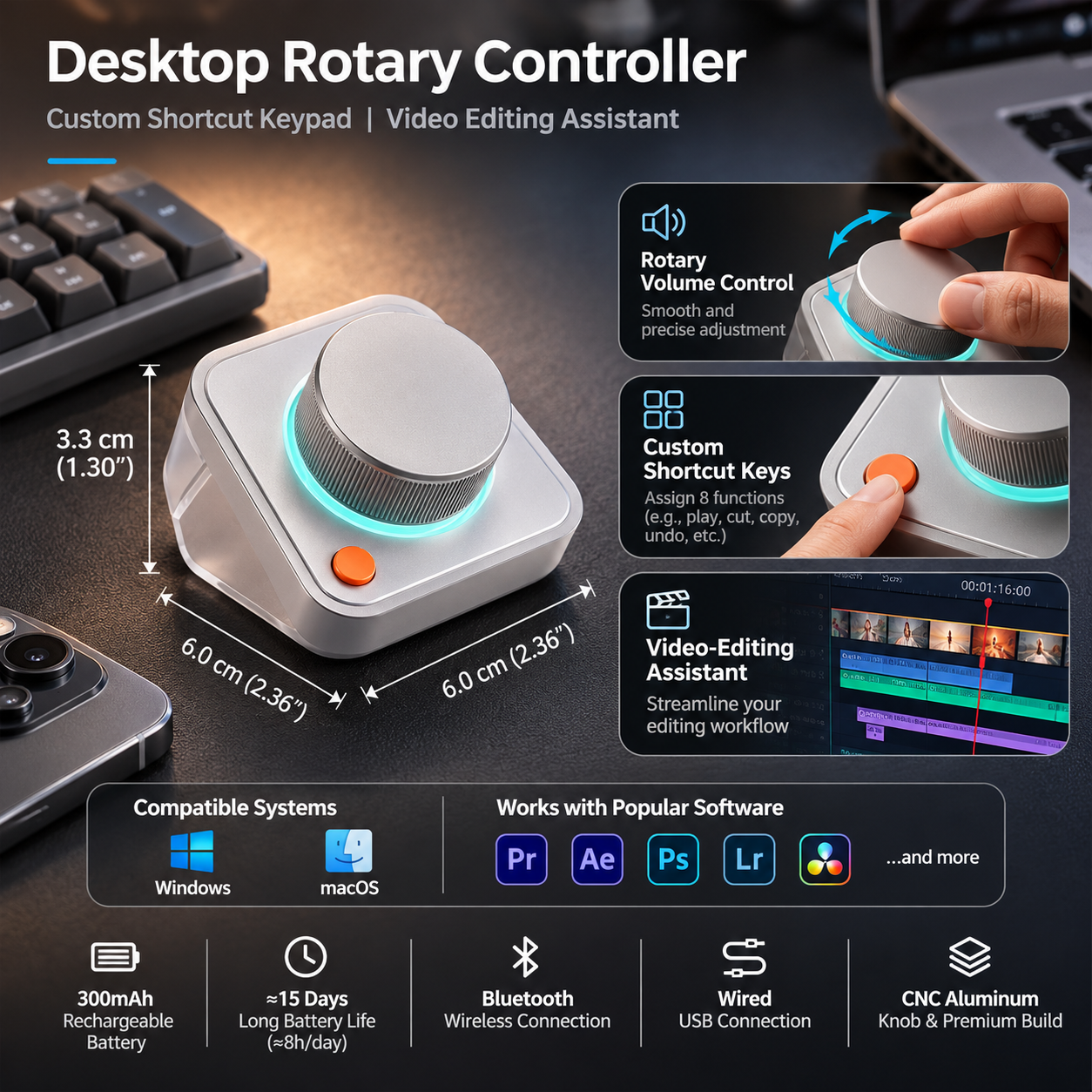
With 8 customizable shortcut functions, a precision rotary dial, and a convenient push-to-confirm mechanism, you can streamline repetitive tasks without constantly reaching for your keyboard.
Connect wirelessly via Bluetooth or use a wired connection, customize the controls through the companion software, and create a workflow that feels natural to you.
Its compact 6 × 6 cm footprint keeps your workspace clean, while the lightweight 89g design makes it easy to move between your home office, studio, and editing workstation.
Less clicking. Fewer interruptions. More time creating.
🚀 Why You'll Love It
🎛️ 1. One Dial, Eight Customizable Shortcuts
Your favorite tools, just a turn away.
Stop digging through menus every time you need a frequently used command.
The programmable shortcut system provides access to 8 functions, helping you organize the actions you use most often.
Ideal for:
-
Video editing commands
-
Photo editing adjustments
-
Keyboard shortcuts
-
Application controls
-
Frequently used desktop actions
-
Personalized creative workflows
Assign your favorite functions and keep your attention on the work that matters.
⚡ 2. Rotate, Press, Done
Simple movements. More intuitive control.
The precision rotary dial combines smooth rotation with push-button confirmation.
Rotate to navigate or adjust assigned functions, then press to confirm your selection.
Its tactile resistance and clear feedback make repetitive operations feel more natural and controlled.
🎬 3. Designed for Creative Professionals
Spend more time creating and less time navigating.
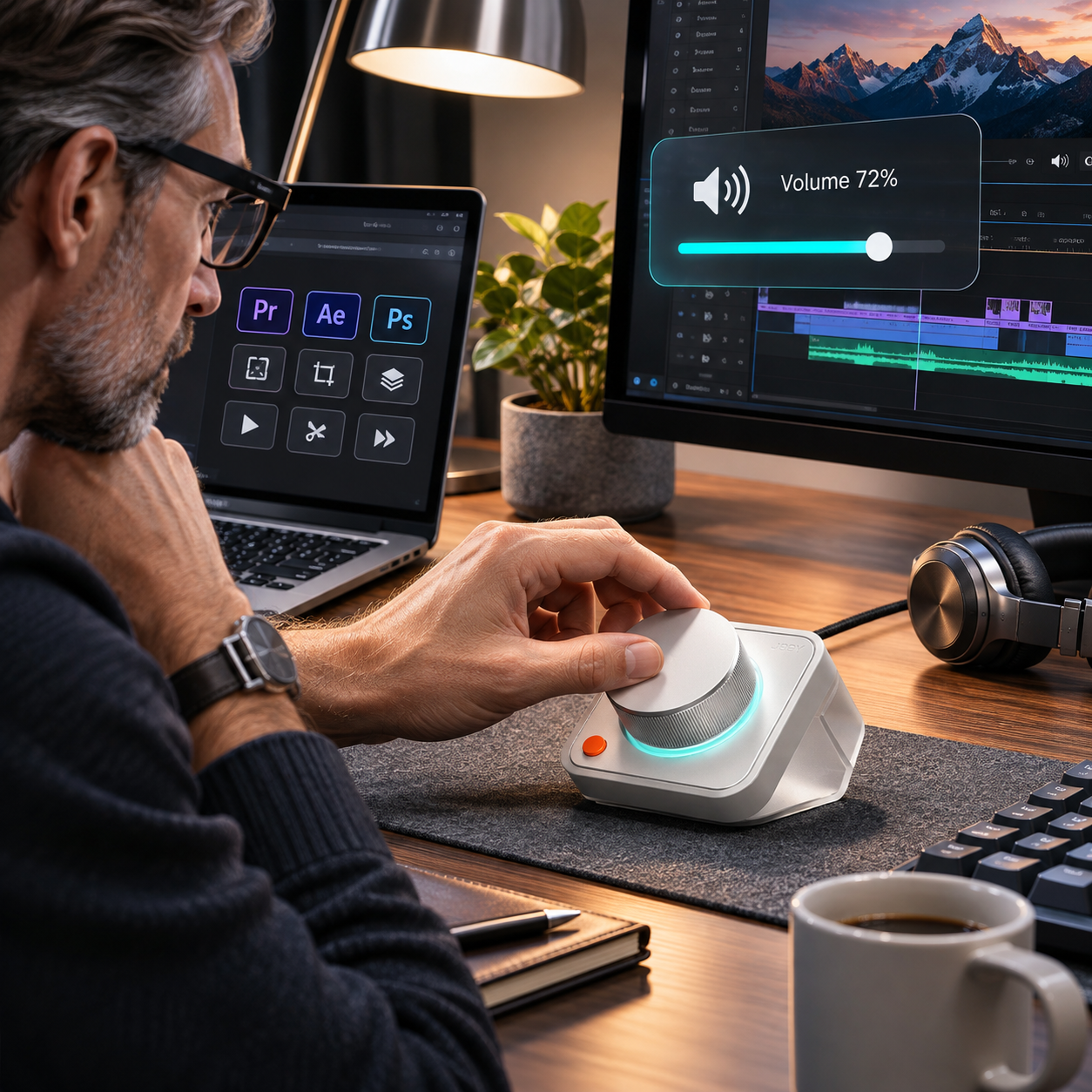
From editing timelines to adjusting image parameters, the controller can make frequently repeated actions more accessible.
A practical addition to workflows involving:
-
Video editing
-
Photo retouching
-
Graphic design
-
Motion graphics
-
Digital content creation
Compatible software and available functions depend on the configured shortcuts and companion application.
🔧 4. Build Your Own Workflow
Your tools. Your shortcuts. Your rules.
Customize button and dial mappings through the companion configuration software.
Save presets for different applications or tasks and switch between workflows without rebuilding your entire setup.
Perfect for creators who regularly move between editing, design, and everyday desktop work.
🔗 5. Bluetooth & Wired Connectivity
Choose the setup that suits your desk.
Enjoy the freedom of Bluetooth connectivity for a cleaner workspace.
Prefer a physical connection? Switch to wired mode for a straightforward desktop setup.
With a wireless operating range of up to 10 meters under suitable conditions, you have flexibility in how you arrange your workspace.
🔋 6. Up to 15 Days of Battery Life
Less charging. More productivity.
The built-in 300mAh rechargeable battery supports approximately 15 days of use based on 8 hours of typical daily operation under the manufacturer's test conditions.
When it's time to recharge, simply connect a USB-C charging cable.
A full charge takes approximately 3 hours.
🖥️ 7. Compact Design, More Desk Space
Powerful control without the clutter.
Measuring just 6 × 6 × 3.3 cm and weighing approximately 89g without the stand, this controller fits comfortably beside your keyboard.
The combination of a metallic control dial, minimalist housing, and subtle illuminated accent creates a modern addition to your workspace.
Small enough to carry. Convenient enough to use every day.
⚙️ Product Specifications
| Specification | Details |
|---|---|
| Model | D100N |
| Product Type | Programmable Desktop Dial Controller |
| Main Functions | Rotary Control, Push-to-Confirm, Customizable Shortcuts |
| Shortcut Functions | 8 Customizable Actions |
| Connection Modes | Bluetooth & Wired |
| Wireless Range | Up to 10m / 32.8ft |
| Compatible Operating Systems | Windows & macOS |
| Materials | ABS, PC & Aluminum Alloy |
| Battery Capacity | 300mAh |
| Battery Voltage | 3.7V |
| Battery Energy | 1.11Wh |
| Charging Interface | USB-C |
| Power Input | 5V / 2A |
| Charging Time | Approximately 3 Hours |
| Battery Life | Up to 15 Days* |
| Controller Dimensions | 6 × 6 × 3.3 cm |
| Controller Dimensions (US) | 2.36 × 2.36 × 1.30 inches |
| Controller Weight | Approximately 89g / 3.14oz (Without Stand) |
| Stand Dimensions | 6.5 × 7.1 × 6.2 cm |
| Package Weight | Approximately 265g / 9.35oz |
| Package Dimensions | 9.6 × 9.6 × 10 cm |
| Cable Length | Approximately 1.5m / 4.9ft |
Battery-life estimate is based on 8 hours of typical daily use. Actual results vary depending on usage patterns, connectivity, and settings.
💻 Perfect for Your Workspace
For Video Editors 🎬
Keep frequently used editing actions accessible without constantly interrupting your timeline workflow.
For Photographers 📸
Configure shortcuts for common image-editing tasks and make your retouching workflow more intuitive.
For Designers 🎨
Simplify repetitive creative commands and spend less time navigating menus.
For Remote Workers 💻
Bring convenient desktop controls into everyday work while keeping your desk organized.
For Tech Enthusiasts ⚙️
Personalize your workstation with a compact, programmable device that combines function and modern design.
✨ Make Every Turn Count
Your creative process deserves better than endless shortcuts and repetitive clicks.
With customizable controls, a tactile rotary dial, flexible connectivity, and a compact design, this mini controller brings frequently used functions closer to your fingertips.
Whether you're editing your next video, perfecting a photograph, or upgrading your workstation, small improvements to your workflow can make a meaningful difference.
🎛️ One Dial. Your Shortcuts. Your Workflow.
Upgrade Your Desk. Simplify Your Creative Process.